 GridEon
Docs / Inverters
Easun / Sumry / Anenji
Sumry builds the hybrid inverters sold as Easun ISolar SMG II, SMG III, SMH III, Anenji and Sumry. They all speak the same Modbus protocol, and GridEon reads them with one driver, usually through the RS232 port.
| Cable | RX | TX | GND | Plug at the inverter |
|---|---|---|---|---|
| Voltronic-type USB–RS232 | pin 1 | pin 2 | pin 8 | RJ45 in the RS232 / COM port |
| USB–RS232 on the Wi-Fi dongle port | pin 2 | pin 3 | pin 5 | DB9 (straight cable) |
The speed is 9600 baud, 8N1, Modbus address 1. We recommend cables with an FTDI chip.
Option 1 · Over RS232 (the most common)
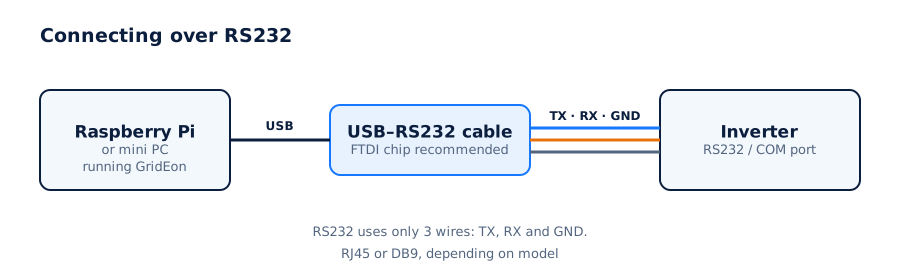
- Connect the USB–RS232 cable to the inverter's RS232 / COM port, following the table above, and to a USB port on the GridEon device.
- If you use the port where the Wi-Fi dongle sits, remove the dongle: only one device can use the port.
- In Settings → Inverter, choose the brand (Easun, Sumry or Anenji), the RS232 · serial cable connection, the cable's port, speed 9600 and address 1.
Several inverters in parallelEach inverter needs its own cable.
Option 2 · Over RS485
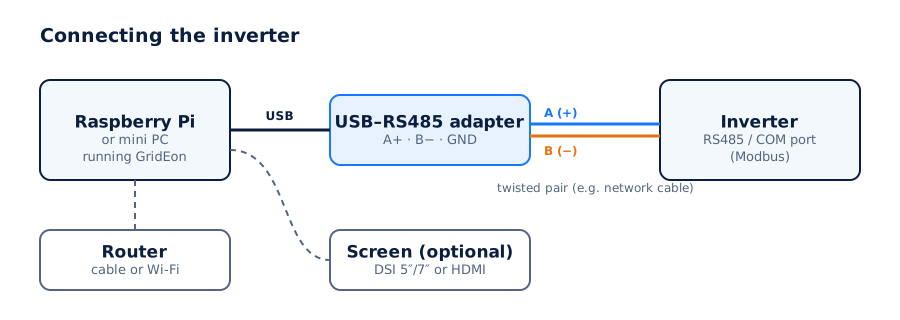
- Use a USB–RS485 adapter (FTDI or CH340 chip) and a network cable (twisted pair).
- On models with an RS485 port (for example the SMG II 11 kW), find the A and B pins in the inverter manual.
- Wire A on the inverter to A (+) on the adapter and B to B (−). GND only if both have it.
- Plug the adapter into a USB port on the GridEon device.
In Settings → Inverter choose the brand, the RS485 · Modbus RTU connection, the adapter's port, 9600 baud and address 1.
Easun SMX IIThe Easun ISolar SMX II series uses a different protocol from the SMG II and isn't read by this driver. Get in touch if you have one.
Settings you can change from GridEon
In Devices → Inverter, the Inverter settings panel reads settings straight from the inverter. Every change asks for confirmation, and after writing GridEon reads the value back to check it was accepted.
- Output priority (SUB / SBU / SUF) and charger priority, each with a second priority on a time window.
- Battery: type, Bulk, Float, overvoltage protection, max discharge current, return and shutdown thresholds by voltage and SOC.
- Max total and utility charging current, equalisation, output voltage and frequency, the OP2 output.
- Buzzer, display, power saving, auto restarts, bypass, external CT and the inverter clock.
CarefulSettings marked “risk” (grid, battery type, frequency) can stop the inverter or break grid rules. Only change them if you know exactly what you're doing.
Troubleshooting
- No answer over RS232: check which cable type you have (pins 1/2/8 or 2/3/5) and that the Wi-Fi dongle isn't in the same port.
- The inverter stays Offline: check the port chosen in Settings and the cable. On RS485, swap A and B, it's the most common cause.
- The adapter isn't listed: unplug and replug it, then reload the settings page.
- You unplugged the cable: the inverter shows Offline with the reason; reading resumes by itself once you plug it back in.