 GridEon
Docs / General
GridEon Gateway
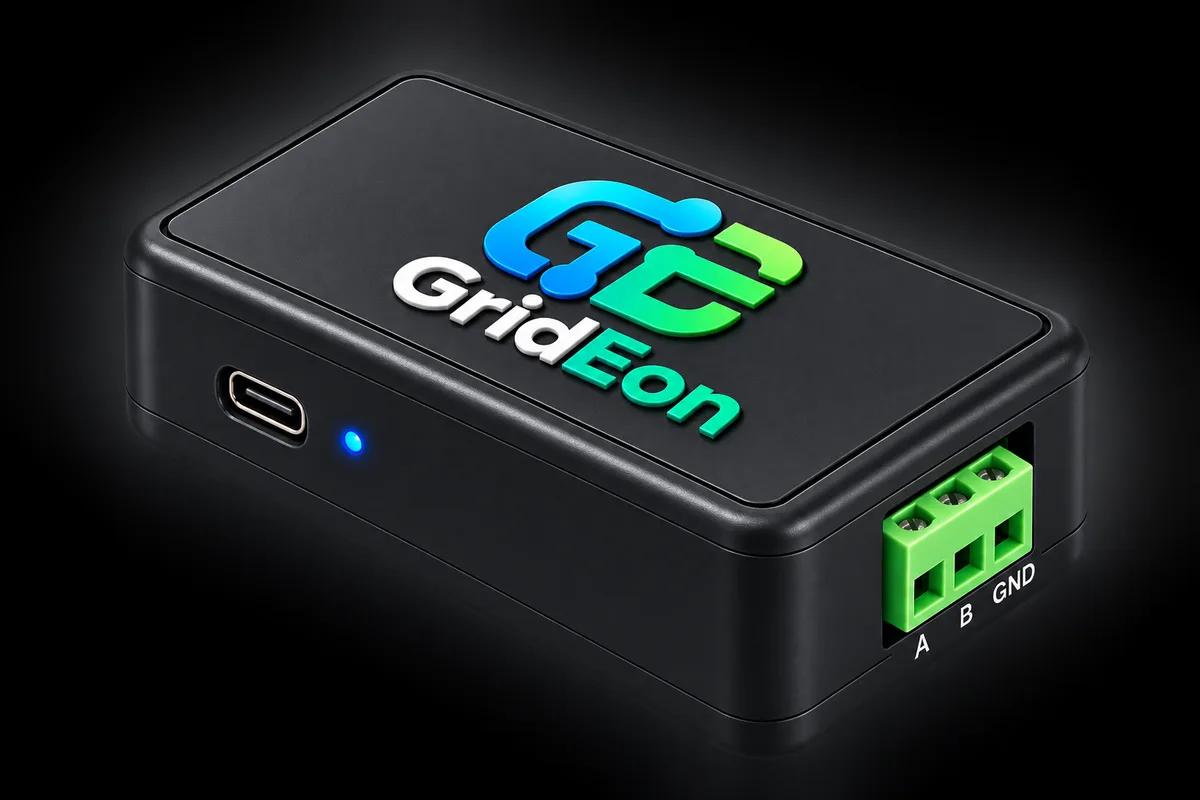
GridEon Gateway is a small ready-made module that connects to the communication port of a device — battery, inverter or another compatible device — and sends its data to GridEon.
What it is for
- No long cable to GridEon: the module sits next to the battery or inverter and sends the data over the local network (Wi-Fi).
- Or straight over USB: where there is no Wi-Fi, connect it with a USB cable to the GridEon device and it works like an ordinary adapter.
- One module, several kinds of devices: depending on its programming and settings it sends the data of the battery, the inverter or another device connected to it.
Connecting it
- A, B, GND — to the device's communication port (usually marked RS485 or BMS).
- USB-C — power (any phone charger) or the direct link to the GridEon device.
- LED — blinks slowly in setup mode, stays on when connected to Wi-Fi, flickers when data passes.
Setup
On first start the module opens its own Wi-Fi network, GridEon-GW-BMS (for a battery). Connect your phone to it, choose your home Wi-Fi and enter the password. To move it to another Wi-Fi later, press Activate AP on the module's page and repeat the steps.
In GridEon, under Settings → Battery (or Inverter), choose the GridEon Gateway connection and the module's address. The data is read and decoded in GridEon, as with any adapter.
Where to get itThe GridEon Gateway module ships ready programmed. For information and orders, write to contact@grideon.ro.